Import File Types
If a file format is not recognized, select the type of file in the File Types dialog. If the file type is not in the dialog you cannot use the file directly. Save the file in another program as a different format, or create a custom file extension.
|
|
|
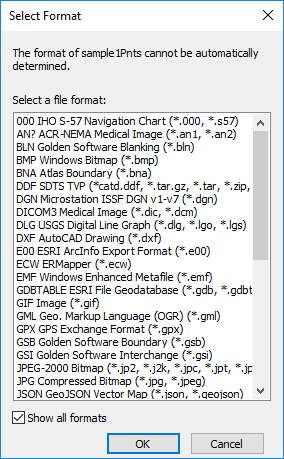
Use the File Types dialog to select a file type. |
Select a File Type
Select a recognized file type from the Select a file type list.
Show All Formats
When the Select Format dialog first opens, Grapher lists the supported file types to the most likely file type for the selection. If the desired file type is not in the short list, check the Show all formats box and the list will include all supported file types. If the file type is not in the list, you will not be able to use the file directly. Save the file in another program as a different format.